Capture. Version. Improve.

Documentation that builds itself.

Notavi turns the work you already do into clean, standardized SOPs — kept in your own storage and improving over time, so your team’s know-how never walks out the door.

Free to build your own library · Apple Silicon Mac (M1+) & Windows 10/11

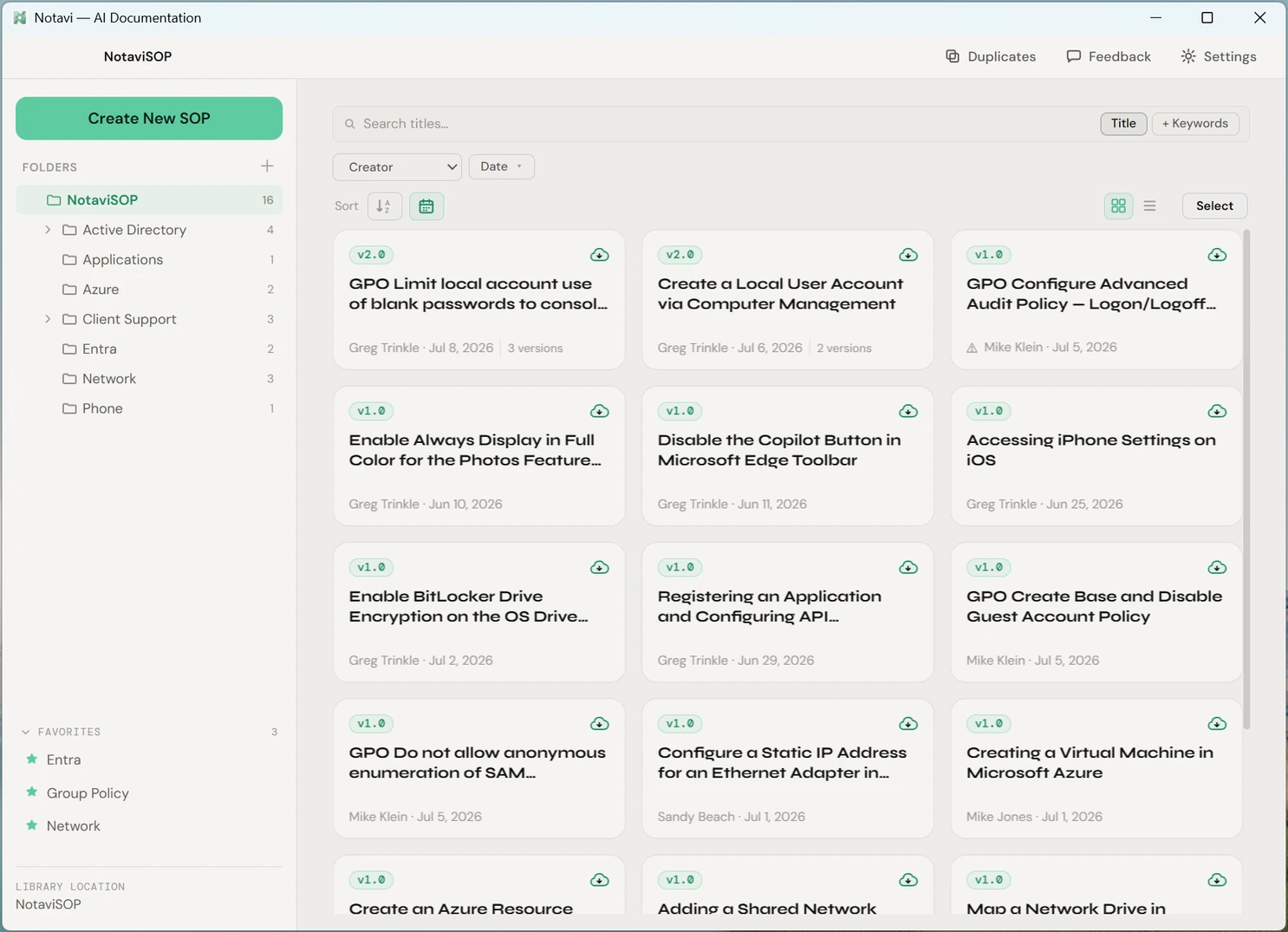
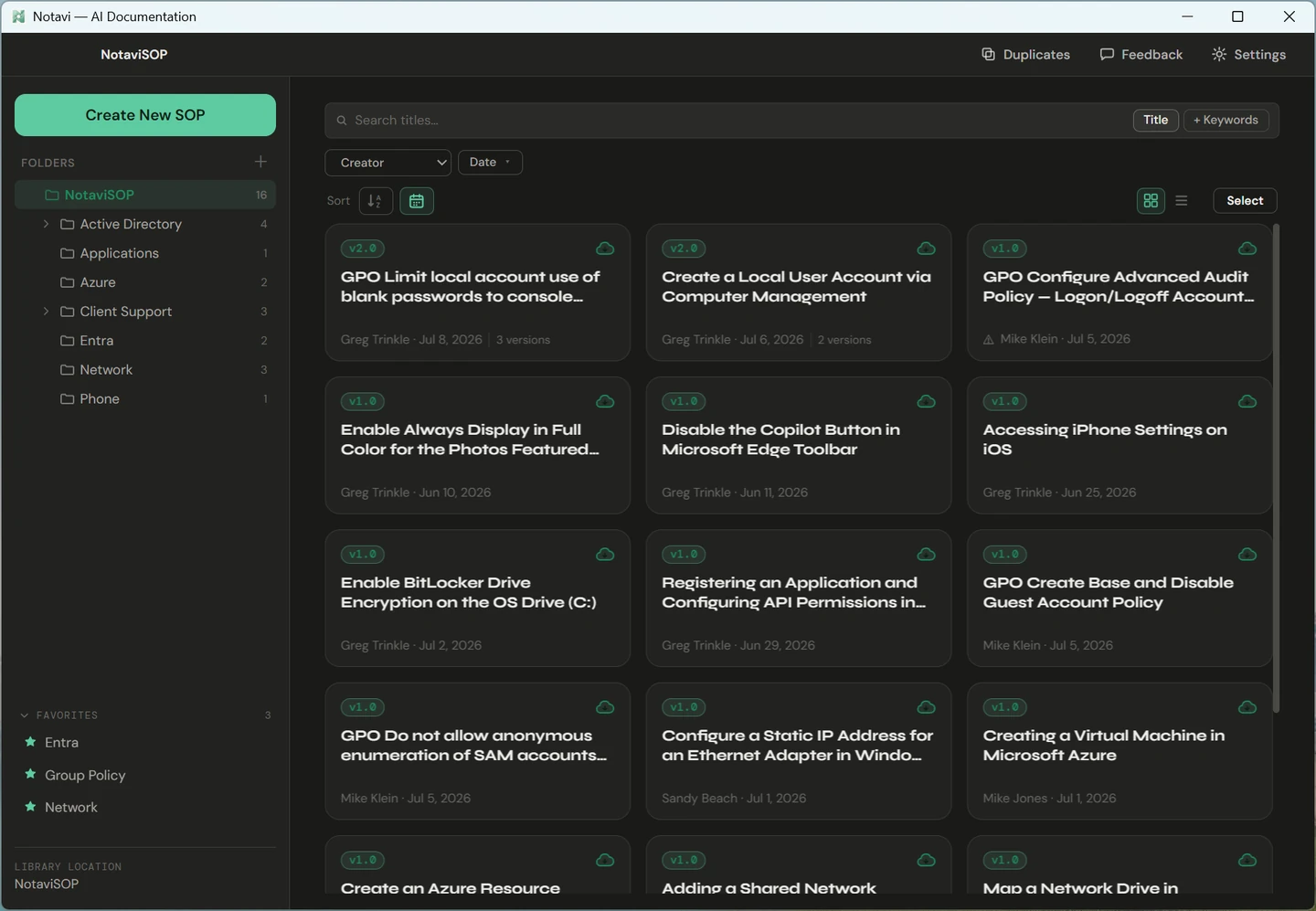
The Notavi library — folders down the left, a grid of saved step-by-step guides on the right, each tagged with a version.
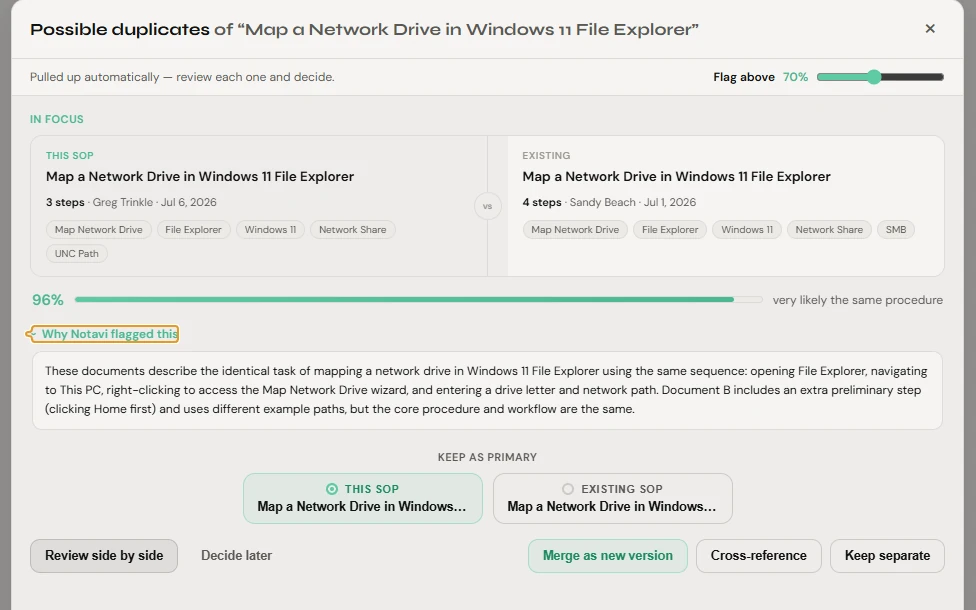
Notavi duplicate review — two near-identical guides with a 96% match score.
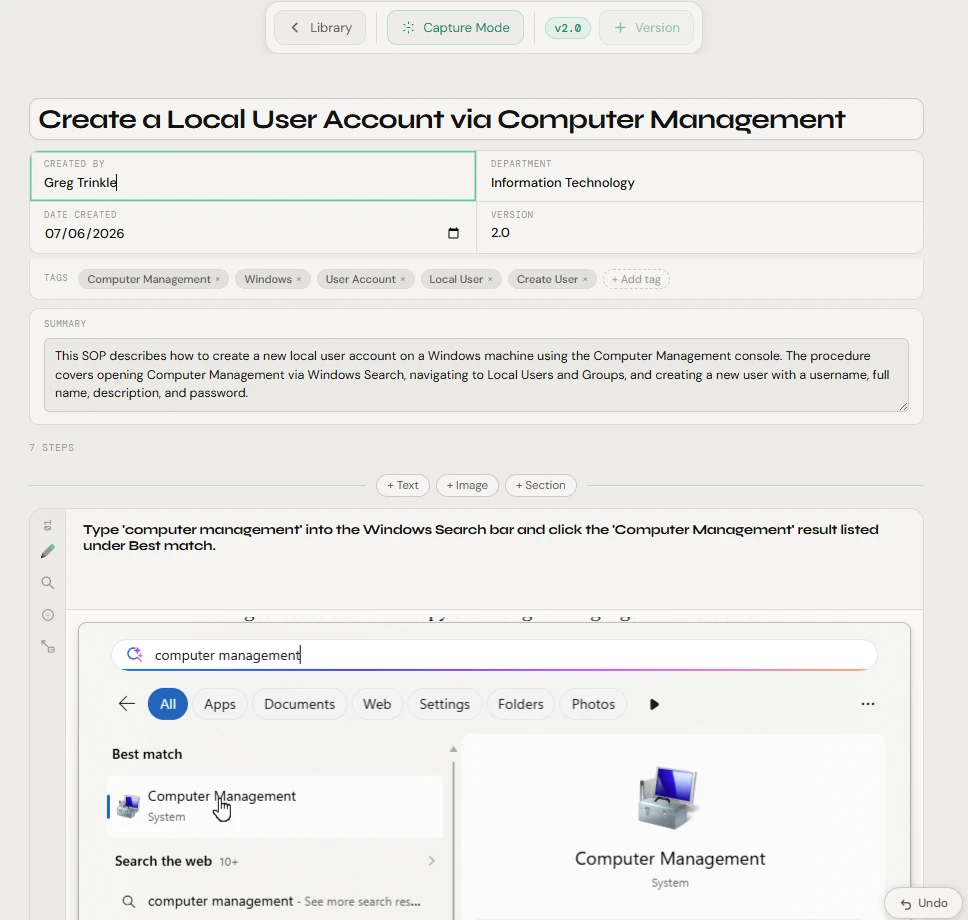
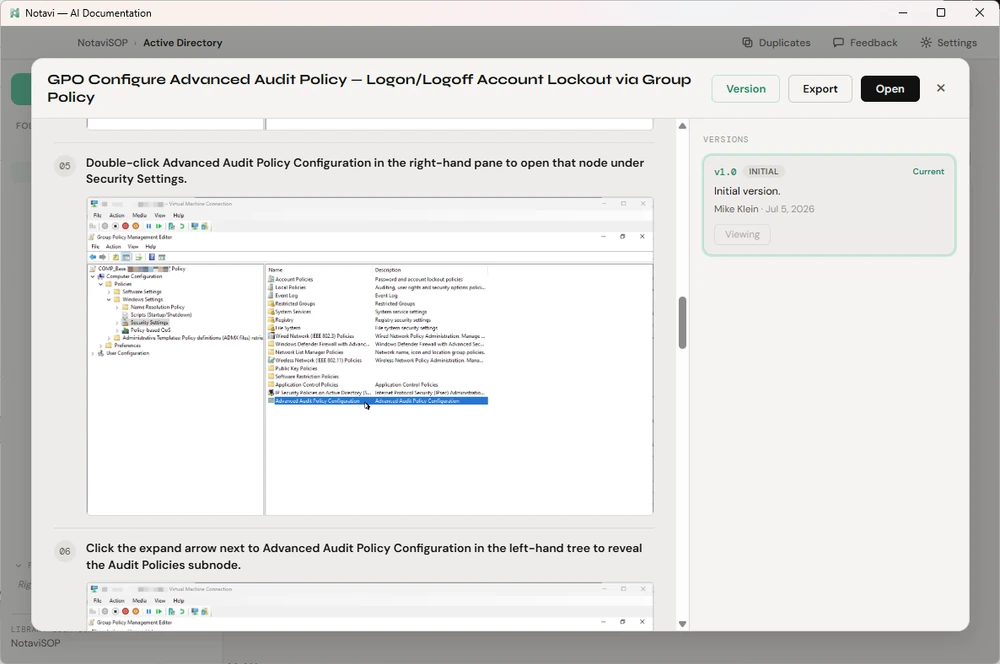
A full guide open in the Notavi editor — title, tags, summary and numbered steps.

The task everyone puts off

The task takes minutes. The write-up takes your afternoon.

You wrap the actual work in twenty minutes. Then you open a blank page to capture the steps — and that’s the part that quietly swallows the rest of your day.

So the guide never gets written. The know-how stays locked in one person’s head, and the next person who needs it opens with a message that starts, “wait, how do you…”

Notavi takes the second step off your plate.

What Notavi does

Capture

You do the task. Notavi writes the guide.

Run through a procedure once. Notavi captures each step with its screenshot and turns the lot into a clean, numbered SOP — in minutes, not an afternoon. Rather write it up yourself? Build a guide entirely by hand; the AI writeup is a paid convenience you switch on only when you want it.

Captures only when you ask.

No keylogging. No capturing on every click. Notavi records a step only when you trigger it — with a keyboard shortcut you set yourself.

See how capture works →

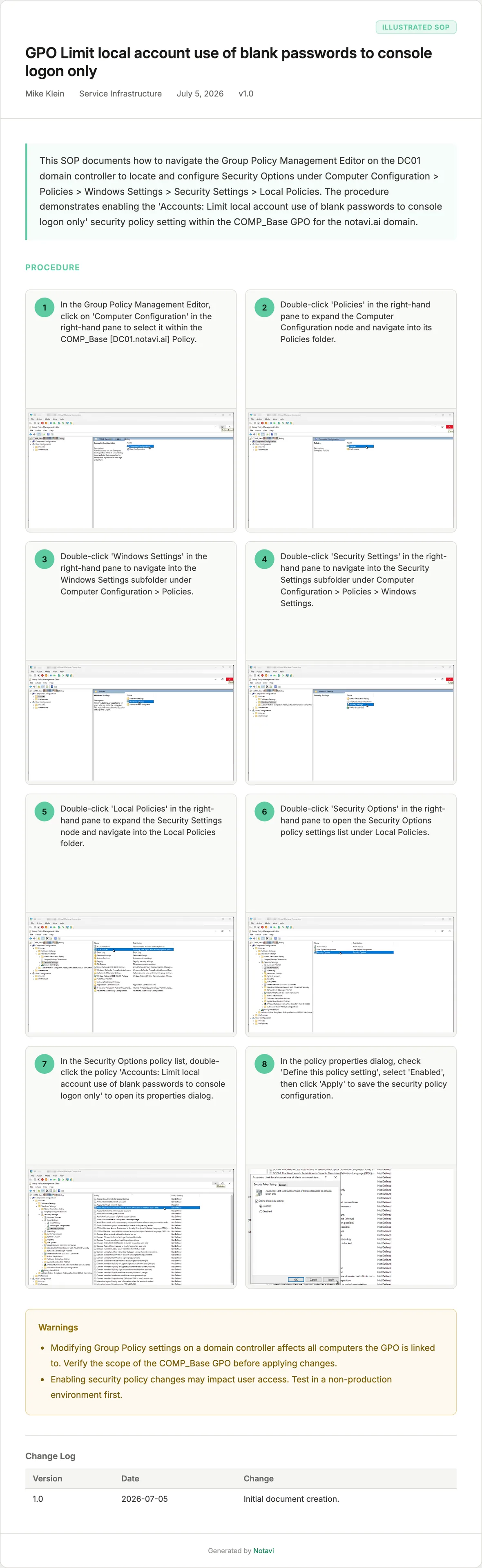
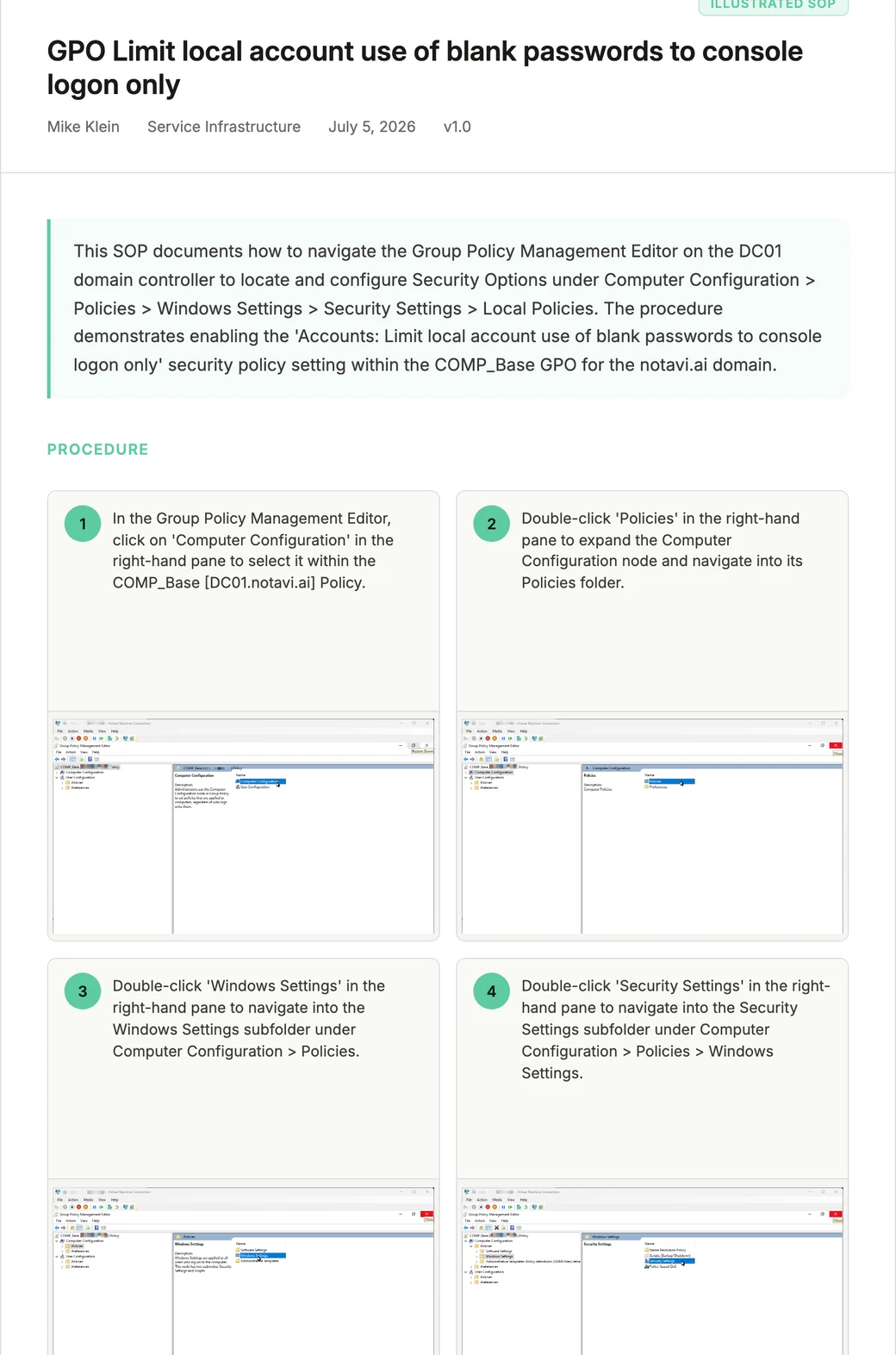
A Notavi guide open in preview.
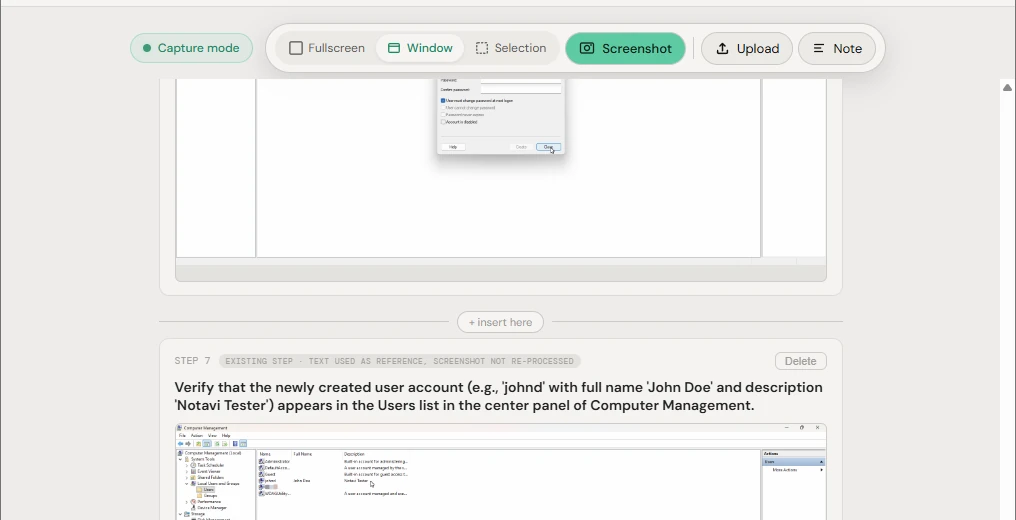
Notavi capture mode — the capture toolbar with Fullscreen, Window, Selection and Screenshot modes.
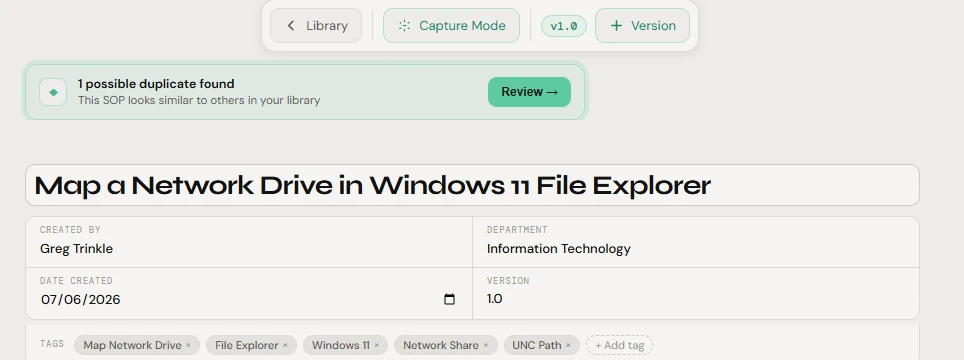
Back in the editor, Notavi flags a possible duplicate — a green banner offering to review it.
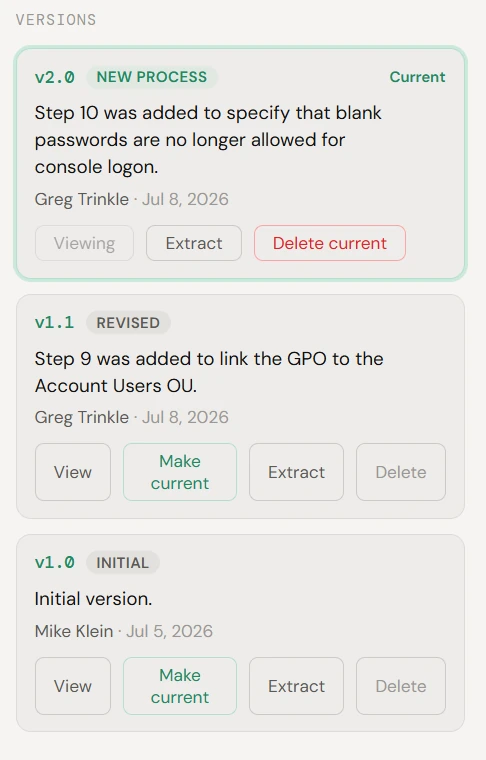
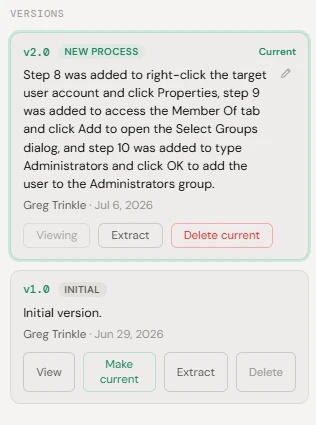
Notavi version history — v2.0, v1.1 and v1.0 with a plain-language change note and controls to view, extract or make current.
An automatically written change log describing exactly what changed in the new version.

Version

Documentation with a memory.

Real procedures change. Notavi keeps every revision with a plain-language note on what changed, when, and who changed it — so a guide is always current, never quietly out of date. Reopen any earlier version to read it, or make it current again in a click.

  • Plain-language change logsWhat changed between v1.0, v1.1 and v2.0 — written in sentences, not diffs.
  • Restore any earlier versionReopen an old version to read it, or make it current again without losing the newer ones.
  • Minor & major versionsA small fix or a full rewrite — bump the right kind of version and keep the whole lineage.

Explore version history →

Your storage, your control

Your procedures stay in your storage.

Your library lives in storage you already own — any cloud you use, from OneDrive and iCloud to Dropbox, Proton or SharePoint — never our servers. You keep control of the files, the folders, and who gets in. It’s the SOP tool your security team will actually sign off on.

  • Stays in your storage
  • Never used to train AI
  • We don’t keep your content

When you ask AI to write a guide, the captured steps are sent to the model to generate it, then discarded — never used for training. Your library stays put.

How Notavi compares to Scribe →

The Notavi library in dark theme — the same organized grid of versioned guides, kept in storage you own.

One source of truth

Never keep two of the same guide.

Search across every folder to pull up the right guide in seconds — then keep the library clean. When a new guide looks like one you already have, Notavi flags it automatically and scores how alike they are. Review the pair side by side, then merge them into one authoritative version, cross-reference them, or keep both — nothing changes until you decide.

Notavi duplicate review — two near-identical guides compared with a 96% match score and options to merge, cross-reference, or keep separate.
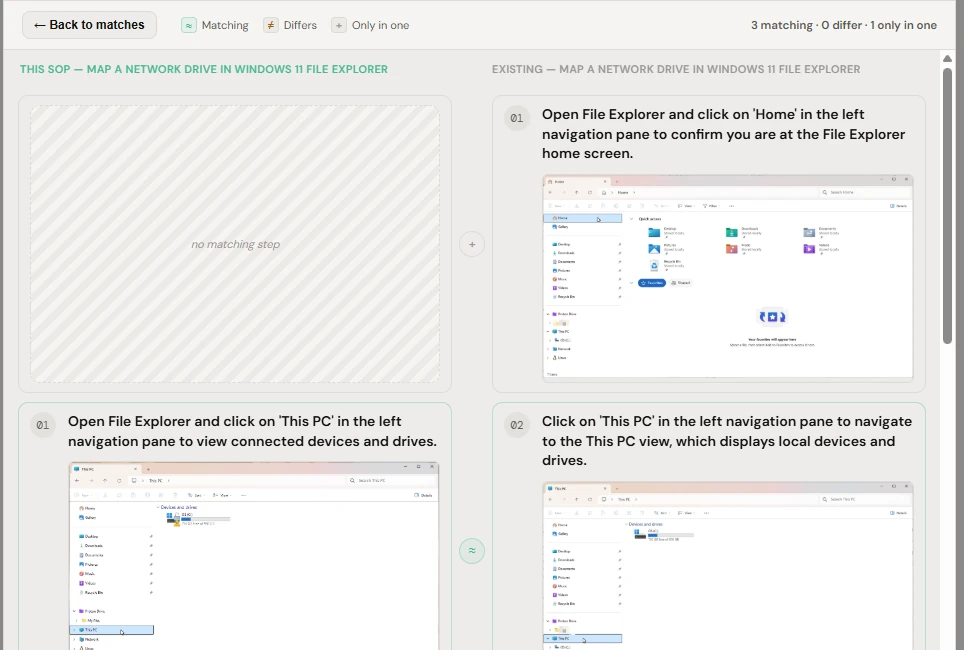
Notavi step-level comparison — matching, differing and only-in-one steps shown side by side before you merge.

Looks the part

Guides people actually want to use.

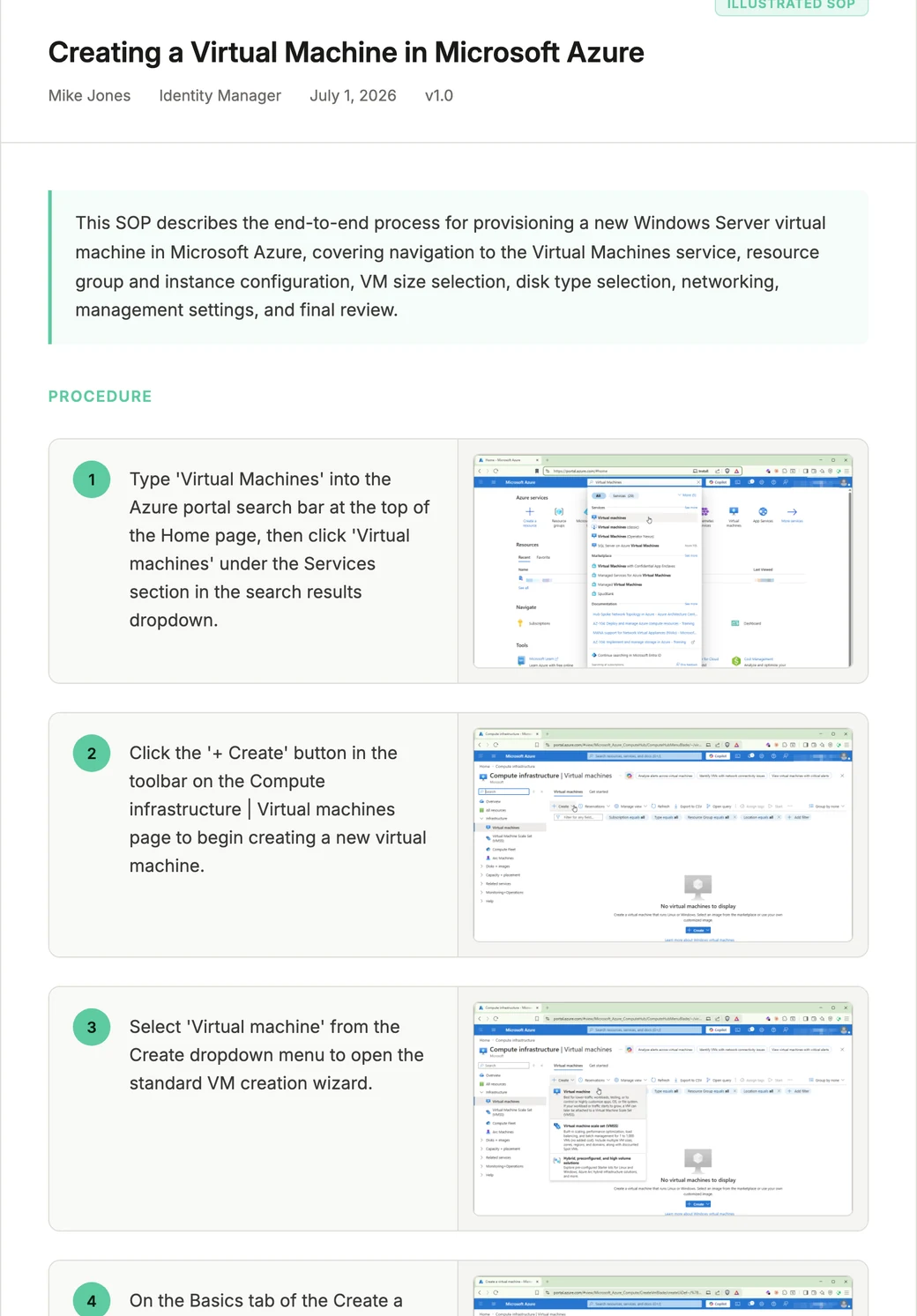
Export any SOP as a polished document — two-column, quadrant, or single-page — ready to hand a new hire or attach to a ticket. Open an example and read the whole thing.

The details

Thoughtful where it counts.

Notavi guide preview.

Preview before you share

See exactly how a guide reads before it ever leaves your hands.

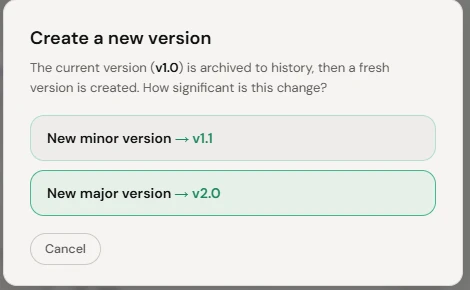
Create a new version — minor or major.

Minor tweak or major rewrite

Bump a small revision or start a new major version — the whole lineage stays intact.

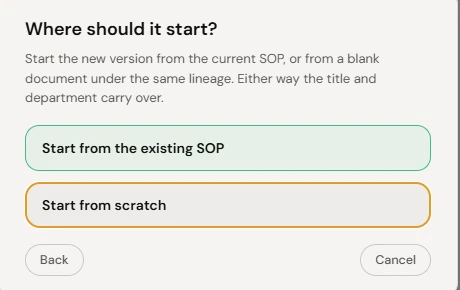
Start a new version from the existing guide or from scratch.

Branch or start clean

Spin a new version off an existing guide, or from a blank one under the same lineage.

Start documenting free.

Build your library free — add the AI writeup whenever you want it.

Pricing

Start free. Add AI when you’re ready.

Documenting is free. Build guides by hand, organize, search, and export your whole library right on your own machine — no subscription. A subscription adds the AI writeup, so you can let Notavi write your guides for you.

Free Your manual library

Build guides by hand, organize them into folders, open, search, and export — as a PDF, web page, or Word document, in any of eleven languages — all on your own machine. Free account, no subscription; your library stays with you.

Subscription The AI layer

When you’d rather not write it yourself, let AI turn what you capture into a finished guide, flag near-duplicates automatically, and keep a change log on every guide.

Two subscription plans, same features — Lite is sized for everyday documenting, Pro gives you more room to document at volume.

Lite

$10 / month

For everyday documenting

AI writes your guides, flags duplicates, and tracks your history — for steady, everyday documenting.

Every subscription includes

  • AI writes your guides from what you capture
  • Automatic duplicate detection
  • Automated change logs for every guide
  • Mac & Windows app
Start with Lite

Pro

$20 / month

For documenting at volume

Everything in Lite, with more room to document at volume — for IT, ops, training and knowledge teams.

Every subscription includes

  • AI writes your guides from what you capture
  • Automatic duplicate detection
  • Automated change logs for every guide
  • Mac & Windows app
Start with Pro

Prefer to download first? Get Notavi for Mac or Windows — build your library free, and subscribe in-app only if you want the AI writeup.

Apple Silicon Mac (M1 or later) · Windows 10 or 11 · 64-bit

Capture. Version. Improve.

Your best procedures shouldn’t live in someone’s head.

Capture them once, keep them in your hands, and let them improve on their own.

Free to build your own library · Apple Silicon Mac (M1+) · Windows 10/11 · 64-bit

The Notavi library — a grid of versioned step-by-step guides.