
SOP software for IT
SOP software built for IT, not the marketing team.
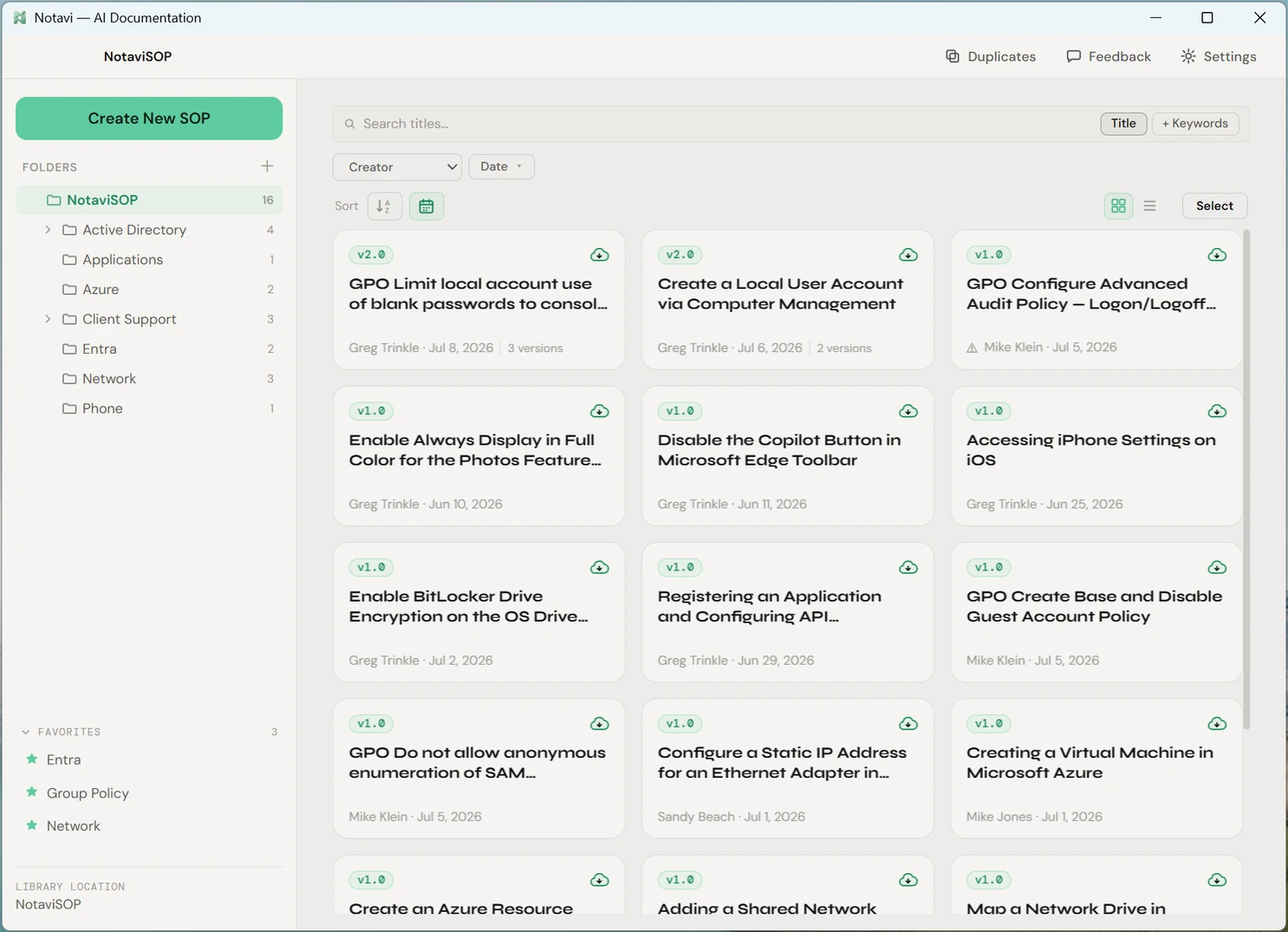
The procedures IT runs on are exactly the ones you can’t paste into someone else’s cloud: resetting admin access, hardening a machine, onboarding a user. Notavi captures them by doing the task once, keeps every version, and stores the whole library in storage you already own.
Stays in your storage
Your SOPs sit in a folder in cloud storage you already own, or on the machine itself, never on Notavi’s servers. When you use an AI writeup, only that session’s captured steps are processed on US-based infrastructure, and they are never used to train AI. It’s the SOP tool your security team will actually sign off on.
Built for technical steps
Capture full screen, a single window, or a selection, and blur anything sensitive right on the screenshot. Notavi turns a real console session into a clean, numbered guide, so the GPO change you just made is documented before you’ve closed the window.
Runbooks with sign-off
Group related SOPs into one ordered Process and export a manager sign-off sheet. A full build or hardening checklist lives as one thing, versioned, with each step pointing at the current guide.
Why IT teams switch
The knowledge in one admin’s head is a single point of failure.
Every team has the person who just knows how the domain controller is set up, or how the VPN gets provisioned. Writing it down properly always loses to the next ticket, so it never happens. Notavi makes the write-up a byproduct of doing the work, which is the only version that actually gets done.
- Onboarding runbooksNew-hire setup, access requests and provisioning, captured once and reused.
- Change proceduresGPO edits, firewall rules, DNS changes, documented with the exact screens.
- User-facing how-tosMFA setup, mapping a drive, the stuff you explain again every week.
Questions IT asks first
Straight answers.
Where are my SOPs stored?
In a folder in storage you already own, such as OneDrive, iCloud, Dropbox, Proton or SharePoint, or on your own machine. Your library does not live on Notavi’s servers.
Is Notavi safe for internal IT procedures?
Your library stays in storage you control. When you use an AI writeup, only that session’s captured steps are sent for processing, on US-based infrastructure, and they are never used to train AI. You can also blur anything sensitive in a screenshot before it is submitted.
Does it run on Windows and Mac?
Both. Notavi is a desktop app for macOS (Apple Silicon) and Windows 10 and 11, code-signed on each platform.
Do I have to pay to use it?
No. Building, organizing, searching and exporting your library by hand is free, with no subscription. Paid plans at $10 and $20 a month add the optional AI writeup, and you can pay for a single person.
Can I group related procedures into a runbook?
Yes. Bundle related SOPs into one ordered Process and export a manager sign-off sheet, so a whole workflow can be reviewed and approved in one place.
Document the way IT actually works.
Build your own library for free, in storage you own. Add the AI writeup whenever you’re ready.
Free to build your own library · Apple Silicon Mac (M1+) · Windows 10/11