
Notavi vs Scribe
The Scribe alternative that keeps your procedures in your storage.
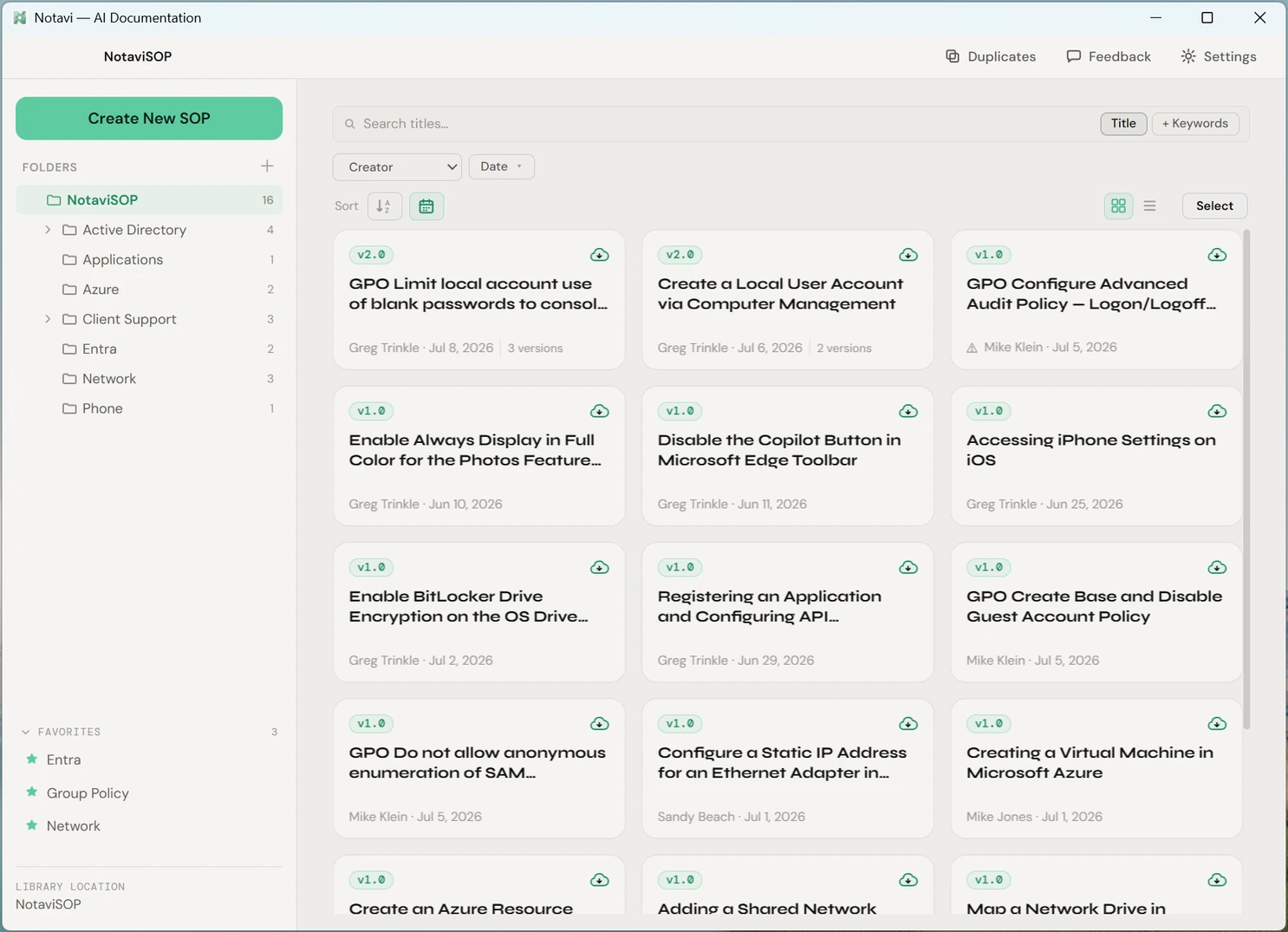
Scribe is a capable cloud tool. But if your procedures can’t live on a vendor’s servers — or you just want them to stay yours — that’s the one thing its model can’t give you. Notavi keeps your library in storage you already own, captures from the desktop for free, and remembers every version.
Your storage, not a vendor’s cloud
Your SOPs sit in a folder in cloud storage you already own — or on your own machine — never on Notavi’s servers. The AI writeup is the only thing that sends anything off your device, and only when you ask for it: those captured steps are processed on US-based infrastructure and are never used to train AI. A cloud-based capture tool keeps your captures on its own servers by design; that’s the line it structurally can’t cross.
A living version history
Real procedures change. Notavi keeps every revision with an automatic, plain-language note on what changed — so a guide is always the current version, never a document that quietly went out of date.
Free to capture, fair to scale
Desktop capture and your own library are free — the very thing many tools put behind a paywall. When you want the AI writeup, plans are $10 and $20 a month, and you can pay for a single person. No multi-seat minimum to get started.
Side by side
Notavi and Scribe, compared honestly.
The differences that matter for a team that needs to own its documentation and keep it current. Competitor plans and pricing change often — check Scribe’s site for the latest specifics.
| Feature | Notavi | Scribe |
|---|---|---|
| Where your files live | Storage you already own — any cloud you use (OneDrive, iCloud, Dropbox, Proton, SharePoint) | Hosted in Scribe’s cloud |
| Desktop-app capture | Included, free | Paid plans only |
| Free tier | A full local library you keep forever | Browser-only capture, watermarked |
| Living version history | Every version kept, with an automatic plain-language changelog | Guides are edited in place in the cloud |
| Merge near-duplicates | Flags look-alikes and merges to one source of truth | — |
| Team minimum to start paying | None — pay for one person | Team plan has a multi-seat minimum |
| Export layouts & languages | Standard, two-column, quadrant · HTML/PDF/Word · 11 languages | Cloud pages, plus export on paid plans |
| AI writeup | Optional — document by hand for free, or switch AI on | AI features on paid plans |
| Where AI processing happens | On US-based infrastructure, only for sessions you submit — never used to train AI | Processed in the vendor’s cloud — check its current terms for specifics |
| Price | Free library · Lite $10/mo · Pro $20/mo | Paid personal & team tiers |
Scribe details reflect its publicly published plans as of July 2026 and are described in general terms because they change often; Notavi prices are our own. “Scribe” is a trademark of its respective owner, used here for comparison and identification only.
Why teams switch
The procedures you can’t upload are exactly the ones worth documenting.
How to reset admin credentials. How patient records are handled. The steps that describe your security posture and your regulated workflows. For an IT team or a clinic, uploading those to a third-party SaaS is the one thing their own policy forbids — so a cloud-only tool is a non-starter no matter how good the capture is.
Notavi is built for exactly that buyer: capture the procedure by doing it once, let it write itself up, and keep the result in storage you control. If you ask AI to write a guide, the captured steps go to the model to generate it and are never used for training — your library stays with you.
Being fair about it
When Scribe is the better choice.
We’re not going to pretend Notavi is right for everyone. If your priority is instantly sharing a guide with anyone via a link, capturing browser-only workflows, or running documentation entirely in the cloud with your team, Scribe is a mature, well-built tool designed around exactly that. Cloud hosting is a feature when frictionless sharing is what you need.
Notavi makes the opposite trade on purpose. Because the library is local, there’s no public share-link loop — and that’s the point: your procedures stay in your storage, under your control, and improve over time. If ownership and a living history matter more to you than cloud sharing, that trade is the whole reason to choose it.
Try the local-first alternative.
Build your own library for free, in storage you own — and see the difference ownership makes. Add the AI writeup whenever you’re ready.
Free to build your own library · Apple Silicon Mac (M1+) · Windows 10/11